
Self-Ordering Kiosks: The Smart Solution for Faster & Efficient Customer Service
Self-Ordering Kiosks: The Smart Solution for Faster & Efficient Customer Service
In today’s fast-paced business environment, customers expect speed, convenience, and accuracy. Whether it’s a restaurant, café, fast-food outlet, or retail store, long queues and manual ordering can negatively impact customer experience and operational efficiency. This is where Self-Ordering Kiosks come in as a game-changing solution.
What Is a Self-Ordering Kiosk?
A self-ordering kiosk is an interactive digital system that allows customers to place orders independently without staff assistance. Using a touch screen interface, customers can browse menus, customize orders, and complete selections quickly and accurately.
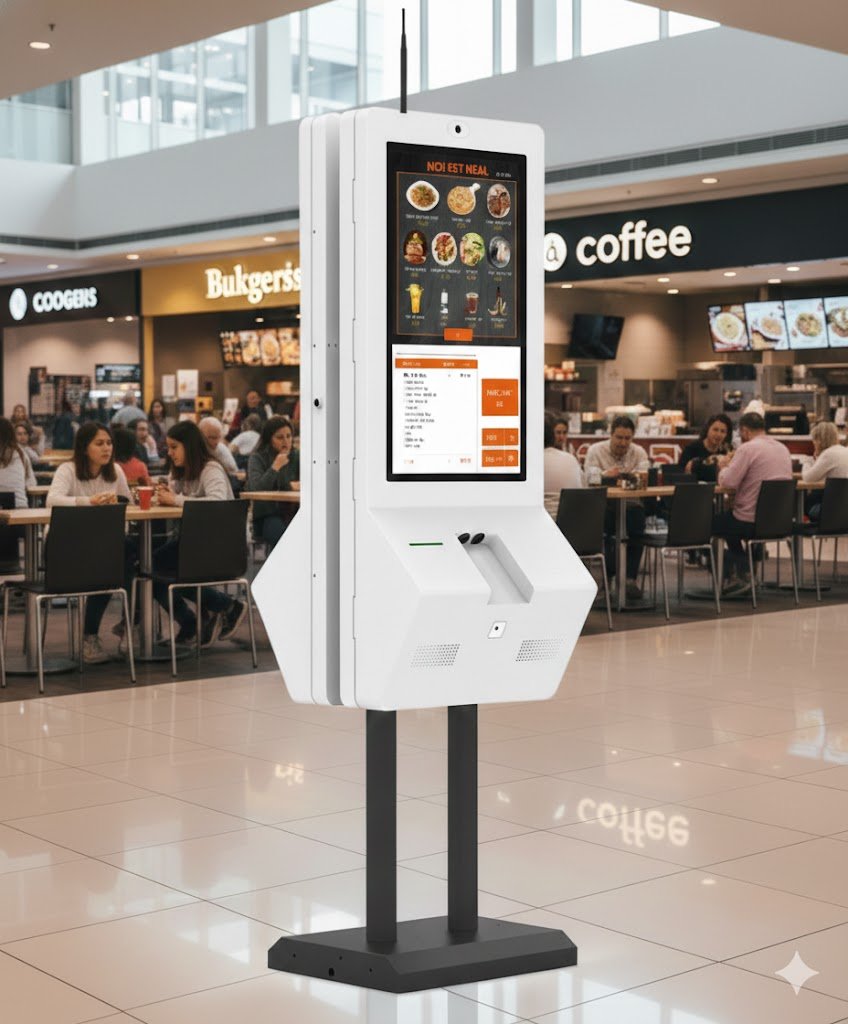
Introducing the 32” Self-Ordering Kiosk – MK-S032
The MK-S032 32” Self-Ordering Kiosk is an all-in-one solution designed for modern businesses looking to automate and optimize their ordering process. Featuring a Full HD capacitive touch display and integrated hardware, it ensures smooth operation even during peak hours.
Key Highlights
- 32-inch Full HD (1920×1080) touch display
- 10-point projected capacitive touch technology
- Built-in thermal printer with cutter
- Integrated 2D barcode / QR scanner
- Optional camera and customized card reader
- Supports Windows 10 and Android 11
- Durable metal enclosure with powder coating
Designed for Performance & Reliability
The MK-S032 is built to handle continuous commercial use. Its powerful processor options, wide viewing angle display, and fast touch response ensure a seamless user experience in high-traffic environments.
Display & Touch Excellence
The large 32” TFT-LCD screen delivers bright visuals with 400 cd/m² brightness, wide 178° viewing angles, and accurate color reproduction. The capacitive touch screen allows smooth and responsive interaction for customers of all ages.
Flexible Installation Options
Every business layout is different, which is why the MK-S032 supports multiple installation methods:
- Wall Mounted
- Floor Standing (Single Screen)
- Floor Standing (Dual Screen)
Where Can You Use a Self-Ordering Kiosk?
- Restaurants & fast-food chains
- Cafés & coffee shops
- Food courts
- Retail stores
- Self-service ordering counters
Benefits of Using a Self-Ordering Kiosk
1. Faster Order Processing
Customers place orders directly, reducing waiting time and improving overall service speed.
2. Improved Order Accuracy
Eliminates communication errors between customers and staff, ensuring accurate orders every time.
3. Better Customer Experience
A modern, interactive interface creates a convenient and engaging ordering experience.
4. Reduced Staff Workload
Allows staff to focus on food preparation and customer service instead of manual order taking.
5. Increased Operational Efficiency
Handles peak-hour demand smoothly without delays or congestion.
Technical Specifications Overview
- Operating System: Windows 10 (Trial) / Android 11
- CPU: Intel Celeron J6412 / RK3568 Cortex-A55
- Display: 32” TFT-LCD, Full HD
- Touch: Projected capacitive, 10 points
- Brightness: 400 cd/m²
- Connectivity: USB, RJ45, Ethernet, Wi-Fi
- Power Consumption: < 120W
- Application: Indoor commercial use
Why Choose MAKERS24?
MAKERS24 delivers reliable, future-ready self-service solutions designed for modern businesses. Our self-ordering kiosks are built with high-quality hardware, flexible configurations, and professional support to ensure long-term performance and value.
Conclusion
The MK-S032 32” Self-Ordering Kiosk is a smart investment for businesses aiming to modernize operations, reduce queues, and enhance customer satisfaction. With robust construction, flexible installation options, and advanced features, it offers a complete self-service solution for today’s commercial environments.